Get Your API Key
Your Custodian Labs API key is generated automatically after you activate a plan. Use it to authenticate requests from your application.
Each key is linked to your account and active plan. Its usage allowance, request limit, and renewal cycle are determined by that plan.
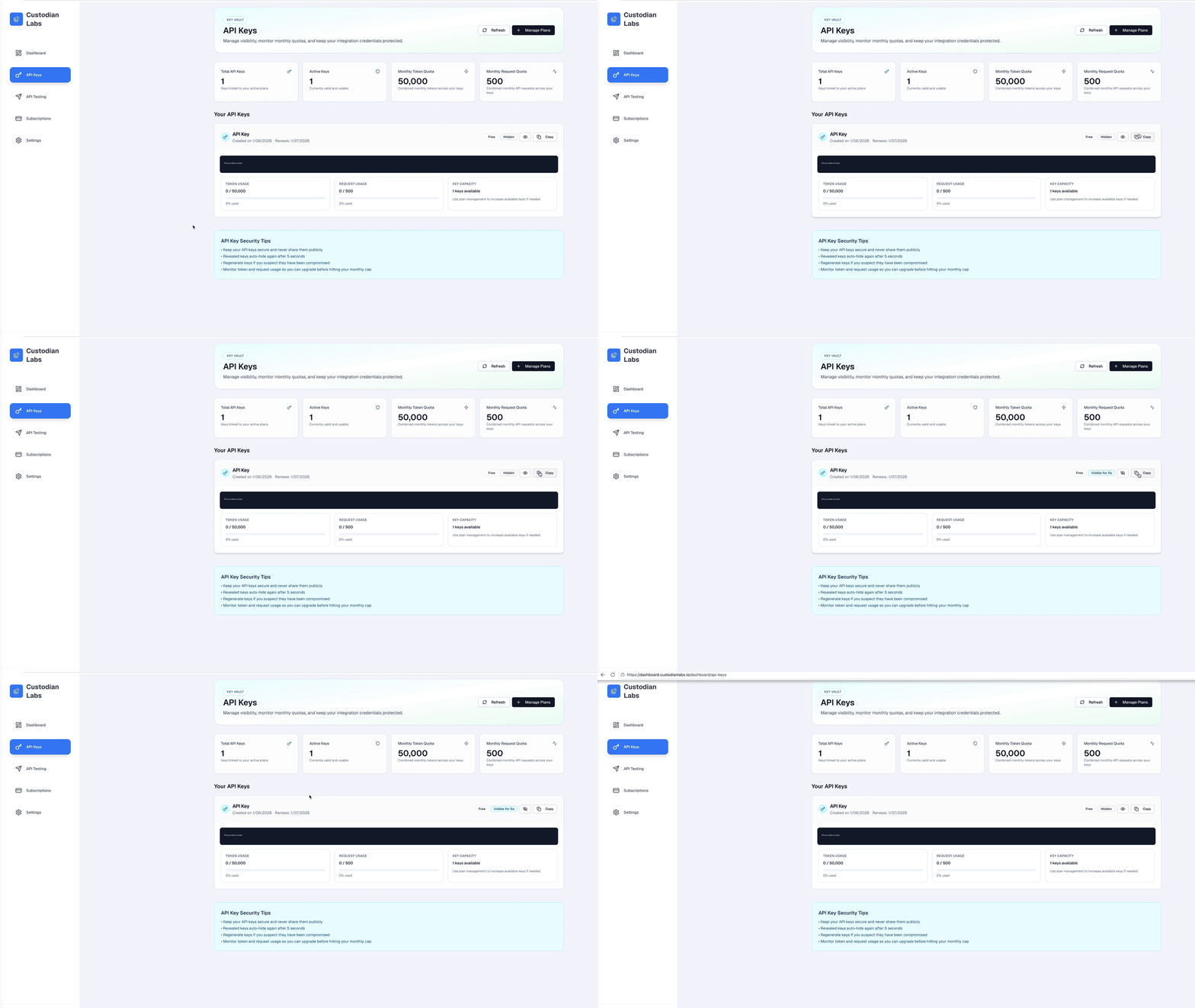
Find your API key
Your API key looks like this:
custodian_labs_xxxxxxxxxxxxxxxxxxxxxxxxxxxxxxxxxxxxxxxxxxxxxxxx
If you have not activated a plan yet, the page displays No API Keys Yet. Continue to Choose a plan first.
Reveal and copy your key
API keys are hidden by default to prevent accidental exposure.
- Click the eye icon to reveal the full key.
- Click Copy to copy it to your clipboard.
- The revealed key is hidden again automatically after five seconds.
:::warning Keep your key private Treat your API key like a password. Never share it publicly, paste it into support messages, commit it to version control, or expose it in client-side browser code. :::
Store your key securely
For Guardian Layer API requests, store your key in an environment variable:
export CUSTODIAN_API_KEY="your_api_key_here"
For the Python SDK, use:
export CUSTODIAN_SDK_API_KEY="your_api_key_here"
In production, use your hosting platform's secret management tools, such as Vercel Environment Variables or AWS Secrets Manager.
Understand your key details
Each key card shows:
| Field | Description |
|---|---|
| Plan | The subscription plan linked to the key |
| Created on | The date when the key was generated |
| Renews | The renewal date for the current cycle |
| Token usage | Your current usage and token allowance |
| Request usage | Your current number of requests and request allowance |
| Key capacity | The number of keys available for your plan |
The summary cards at the top of the page show your total keys, active keys, monthly token quota, and monthly request quota.
Refresh your keys
If you activated a plan but do not see a key immediately:
- Click Refresh on the API Keys page.
- Confirm that your plan is active on the Subscriptions page.
- If you completed a paid checkout, wait a few seconds and refresh again.
- Contact support if the key still does not appear.
If your key is exposed
If you accidentally share your full API key, treat it as compromised and stop using it.
Contact support to revoke or rotate the exposed key. Do not continue using a key that has appeared in chat messages, screenshots, logs, or public repositories.
Examples

Next steps
Now that you have an API key, verify that it works:
Then choose the path that fits your application: